EdEase
Sydney online success

Online tutoring that keeps pace with Sydney life

EdEase syncs virtual study sessions with busy Sydney calendars, from sport on the Northern Beaches to part-time work in Parramatta.

Enjoy the freedom of online learning while staying connected to what Sydney schools expect.

  • Aligns with Sydney school assessment schedules
  • Builds catch-up plans around commuting and commitments
  • Delivers polished communication for families and mentors
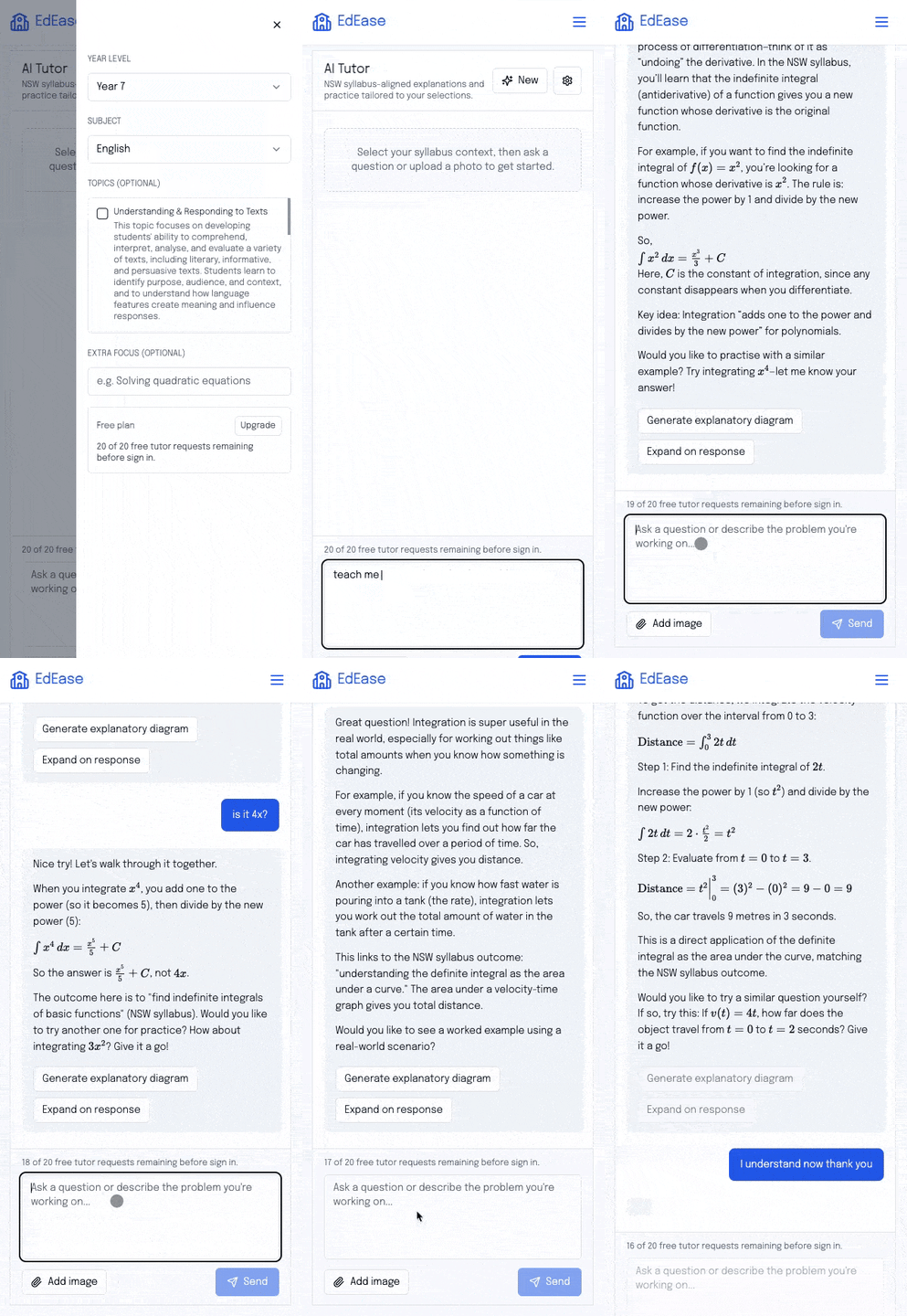
Animated preview of the EdEase AI tutor experience

Stay synced with Sydney school calendars

Upload assessment dates or screenshot your dashboard and EdEase builds a roadmap that fits each campus rhythm, from CBD independent schools to Western Sydney comprehensives.

  • Reference case studies from Sydney industries and news
  • Build express revision for last-minute Trial prep
  • Offer extension tasks for accelerated cohorts

Keep communication smooth and supportive

Use AI-generated check-ins, wellbeing prompts, and celebration messages so you and your family stay aligned without extra admin.

  • Auto-send summaries after evening sessions
  • Highlight wins and next steps in student-friendly language
  • Log attendance and progress across full schedules

Grow your independence as a Sydney student

Centralise study materials, resources, and reflections so you can take charge of your Sydney study journey wherever you are.

Student stories

Students across Australia trust EdEase to stay exam-ready

Hear how real learners are using the AI tutor to break down complex topics, practise smarter, and walk into exams feeling prepared.

EdEase keeps me organised even when everything is online. I get reminders, practice, and feedback that work with my Sydney schedule.

Maddie ColemanYear 12 student, Inner West

Frequently asked questions

Will EdEase work for evening or weekend sessions?

Yes. Prep your materials ahead of time and EdEase will send you a summary and next steps immediately after you finish, no matter the hour.

Can my parents or mentor access updates?

Invite them to view summaries or share exported reports so they stay informed without joining every session.

What devices can I use?

Use EdEase on laptops, tablets, or phones. Everything is web-based, so you can swap devices depending on where you are studying.

Studying with a teacher or mentor too? Share this page and invite them to explore the educator tools via the I'm an educator button.